|
Size: 585
Comment:
|
Size: 1524
Comment:
|
| Deletions are marked like this. | Additions are marked like this. |
| Line 7: | Line 7: |
== Build and Install == Note, you do not need to stop running rtcds models for this step. == Restart the models == If the model you modified or added is hosted in c1lsc, c1sus or c1ioo, run the following script to restart the three computers as these models could not be shut down independently for some unkown reason: {{{ /opt/rtcds/caltech/c1/scripts/cds/rebootC1LSC.sh }}} If the model you modified or added is hosted in c1iscex or c1iscey, you can do the following (giving example for FE: c1iscex, model: c1asx, replace names appropriately): {{{ ssh c1iscex rtcds restart c1asx }}} If you are going to reboot a whole FE, make sure you first start the IOP models named c1x01, c1x02, c1x03, c1x04, c1x05, and so on). Then start the remaining models one by one. == Post restart checklist == * Make sure that all indicators are green in C1CDS_FE_STATUS medm screen. {{attachment:ExampleCDSStatus.png}} |
Modify.Build.Install.Start.
Here you get instructions on how to modify a simulink model that runs on the FE machine, build it, install it and start it with the changes.
Modify the simulink model
The simulink models can be found in /cvs/cds/rtcds/userapps/trunk/isc/c1/models. Find the appropriate model file, open it on matlab from one of the workstations in the control room and do the appropriate changes. To add a new DAQ channel, in the topmost simulink block in the #DAQ Channels list box, add the name of the channel you want to add without C1:XXX- part.
Build and Install
Note, you do not need to stop running rtcds models for this step.
Restart the models
If the model you modified or added is hosted in c1lsc, c1sus or c1ioo, run the following script to restart the three computers as these models could not be shut down independently for some unkown reason:
/opt/rtcds/caltech/c1/scripts/cds/rebootC1LSC.sh
If the model you modified or added is hosted in c1iscex or c1iscey, you can do the following (giving example for FE: c1iscex, model: c1asx, replace names appropriately):
ssh c1iscex
rtcds restart c1asx
If you are going to reboot a whole FE, make sure you first start the IOP models named c1x01, c1x02, c1x03, c1x04, c1x05, and so on). Then start the remaining models one by one.
Post restart checklist
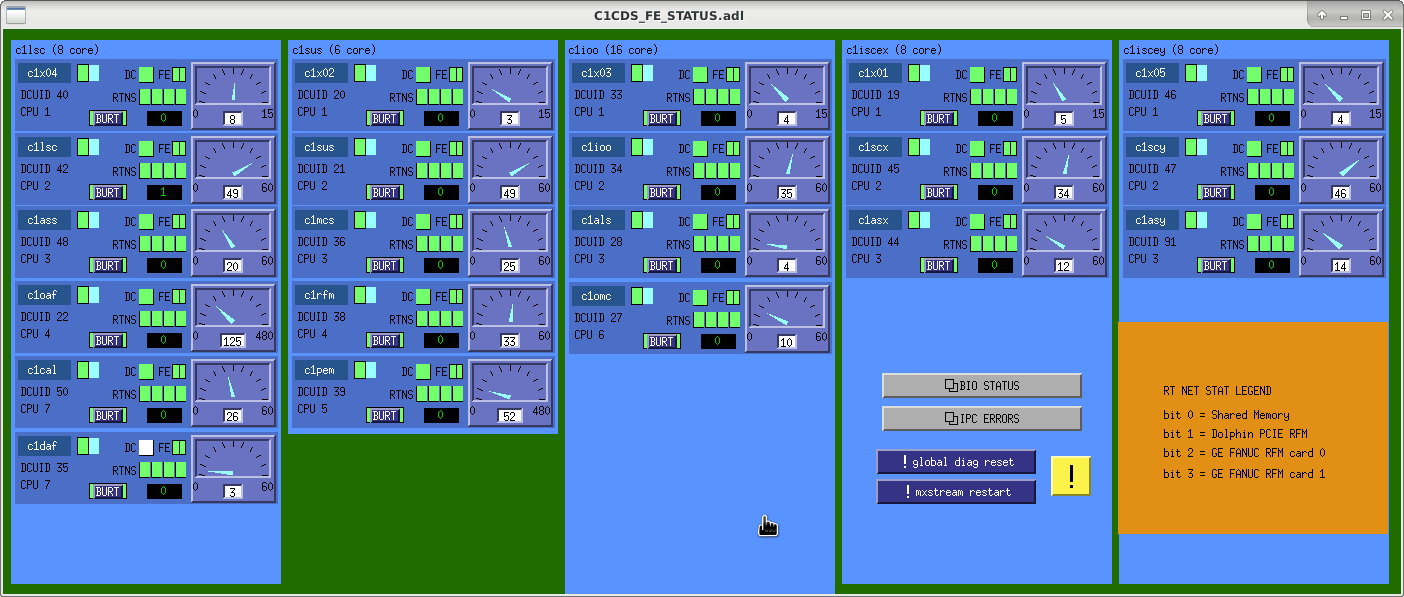
* Make sure that all indicators are green in C1CDS_FE_STATUS medm screen.