|
Size: 2487
Comment:
|
Size: 2255
Comment:
|
| Deletions are marked like this. | Additions are marked like this. |
| Line 30: | Line 30: |
| ||||<#80FF80> '''INPUT'''||||<#8080FF> '''OUTPUT''' || || ''channel'' || ''camera'' || ''channel'' ||''monitor'' || || 1 || MC2 || 1 || || || 2 || Faraday || 2 || || || 3 || || 3 || || || 4 || BS || 4 || || || 5 || MC13 || 5 || || || 6 || ITMX || 6 || || || 7 || ITMY || 7 || || || 8 || ETMX || 8 || || || 9 || ETMY || 9 || || || 10 || || 10 || || || 11 || RCR || 11 || || || 12 || RCT || 12 || || || 13 || OMCR || 13 || || || 14 || PMCR || 14 || || || 15 || || 15 || || || 16 || IMCT || 16 || || || 17 || PSL || 17 || || || 18 || IMCR || 18 || || || 19 || SPS || 19 || || || 20 || SOB || 20 || || || 21 || POX || 21 || || || 22 || APS1 || 22 || || || 23 || ETMXT || 23 || || || 24 || ETMYT || || || || 25 || POY || || || || 26 || OMCT || || || |
||||||<#80FF80> '''INPUT'''|| || ''channel'' || ''camera'' || ''state'' || || 1 || MC2 || :) || || 2 || Faraday || :) || || 3 || PSL output CAM|| - || || 4 || BS || :) || || 5 || MC13 || camera disconnected || || 6 || ITMX || :) || || 7 || ITMY || :) || || 8 || ETMX || :) || || 9 || ETMY || :) || || 10 || - || - || || 11 || RCR || :) || || 12 || RCT || :) || || 13 || OMCR || - || || 14 || PMCR || :) || || 15 || PSL IOO || - || || 16 || IMCT || not aligned ? || || 17 || PSL || - || || 18 || IMCR || - || || 19 || SPS || :) || || 20 || POB || - || || 21 || POX || no camera || || 22 || APS1 || :) || || 23 || ETMXT || not aligned || || 24 || ETMYT || no camera || || 25 || POY || no camera || || 26 || OMCT || :) || |
Overview
Our new Video Switch is a [http://www.extron.com/product/product.aspx?id=mavplus3232v Extron MAV PLUS 3232].
attachment:mavpic.jpg
Setup Howto
- Connect ethernet cable directly to the videos switcher with a computer.
- from the computer, go to default switcher's address 192.168.254.254 by using web browser like firefox.
- if you can not see any pages in the browser, try telnet to 192.168.254.254 to check the connection.
- change the IP address, the Gateway address and subnet mask properly in the web page.
- put the video switcher into the network via another ethernet cable.
- you can access the switcher from anywhere in the 40m by using web browser
- connect analog video cables
- assign output-input matrix by accessing the switcher from an web browser
Docs
attachment:manuel.pdf
attachment:quickref.pdf
Configuration
network
name = LUCIANA
address = http://131.215.113.92/
channel assign
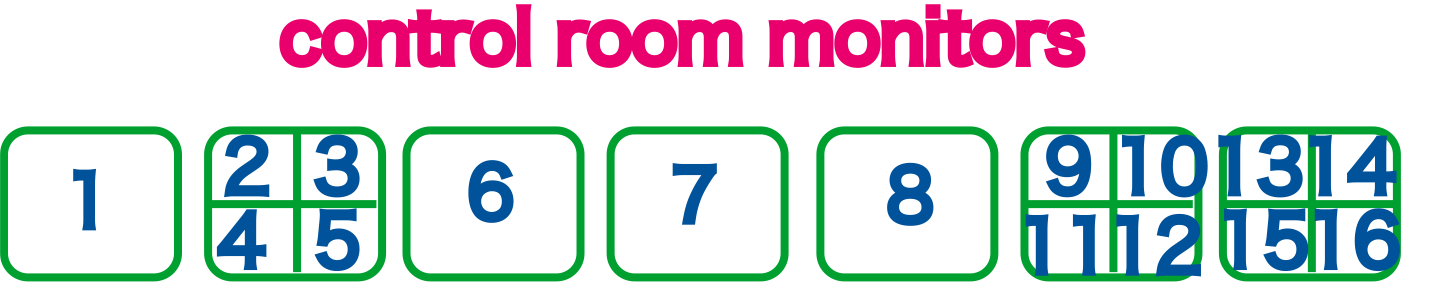
- more information about output channels and monitors are below.
channel assign
INPUT
channel
camera
state
1
MC2

2
Faraday
3
PSL output CAM
-
4
BS
5
MC13
camera disconnected
6
ITMX
7
ITMY
8
ETMX
9
ETMY
10
-
-
11
RCR
12
RCT
13
OMCR
-
14
PMCR
15
PSL IOO
-
16
IMCT
not aligned ?
17
PSL
-
18
IMCR
-
19
SPS
20
POB
-
21
POX
no camera
22
APS1
23
ETMXT
not aligned
24
ETMYT
no camera
25
POY
no camera
26
OMCT