6-18-07
Last week I looked into software which would work well with the frame grabber that I installed in the m25 machine. I wrote up some notes on the hardware and useful software which I have found:
I. Features
Official Info Sheet on the Integral Technologies FlashBus Spectrim Lite
Notable excerpts:
- 16 MB of memory
- S-Video and BNC inputs
- Good support for Windows but not much for Linux or anything else
- Max. resolution of 640x480 in NTSC mode
II. Installation
Video For Linux (V4L) installation software can be found on Integral Technologies's website: http://www.integraltech.com/FileDownloads/e2245e_spectrim-v4linst-v2.5.tgz
Compiling and installing this software should be enough to get the card up and running. The release notes state that the software has been tested on Fedora Core 2 and 4 but it also works on FC3 (albeit with some bugs).
After installing the software, make sure to specify the amount of memory available to the card in grub or lilo as described in the README.mem file! Otherwise, V4L programs (including the test programs that come with the card's software) could crash the computer. Also, make sure to run the startFbspSupt script included the support directory. This program will output a "test.bmp" file so you can tell if your card is working.
III. Software
- There are a lot of V4L applications which have a large number of dependencies and which crash a lot. The better ones I have found for the Spectrim are:
1. videodog (Homepage)
videodog is a simple capturing utility which is good for capturing single images from the frame grabber. It has some useful features, like optional JPEG capture and timestamps in the image, as well as optionally automatically timestamped file names so that it can be run easily from scripts (including Matlab). The loop capture has a bug which makes it output junk to the terminal, and the normal capture has a bug where there are invalid calls to the V4L API. I think these are both driver problems, but the single capture / auto-timestamped capture works. If the output is suppressed by appending ">> /dev/null 2>&1" to the end of the command it seems to work faster (i.e., looping the timestamp capture will not capture images as many times as videodog is called; it seems like commands will be lost when videodog is busy writing to stderr/stdout or capturing images).
videodog is a fairly simple program to edit. A major bonus is that it hardly has any dependencies (I think the only external dependency is libjpeg which seems to be standard), so compiling it should be easy.
2. xawtv (Homepage)
xawtv is a TV application which allows you to view a live feed of the framegrabber's input, as well as capture still images in bitmap (ppm) or jpeg formats of the live feed. It has video capture capability, but as far as I can tell right now that feature either requires a lot of memory or the V4L software for the Spectrim is pretty shoddy since anything but low-framerate MJPEG capture ends xawtv in a segmentation fault or outputs a lot of errors.
xawtv comes with streamer, a program like videodog but one more prone to crashes. streamer should also allow you to capture video from the command line, but it crashes like the video capture from the xawtv GUI (probably because xawtv uses streamer to capture video and images).
motv has a cleaner GUI than xawtv itself, and comes with the whole xawtv suite of programs available on the website above.
Test Image
Here is a sample image taken at full resolution (640x480) in 24-bit color (although the video feed is black-and-white). The image is oversaturated at some points and the image is noticeably noisy. 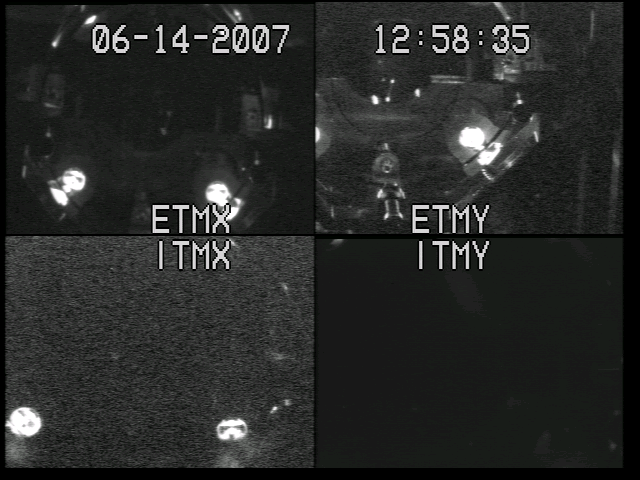
6-28-07
More Linux/hardware notes: before I forget, there is a SourceForge project which supports both the Agilent 82537A/B (the grey USB adapter) and the 82530B (the PCI card). It's called linux-gpib and it will hopefully work: http://linux-gpib.sourceforge.net/ .
It would be wise to read the documentation for supported GPIB interfaces first since the USB device needs to have its firmware flashed and messing that up would probably brick it. If I have extra time, I'll get around to this.
7-6-07
I have written a few Matlab scripts which with a bit of editing should give some good results. One script, modenum.m, is able to determine the m and n indices of HG (Hermite-Gaussian) modes given a CCD camera image. The script uses the straightforward method of taking the x and y projections of the intensity data in an RGB image, then finding the number of peaks in the projected intensity profile. This method assumes that the nodal lines are oriented roughly along the x and y coordinates of the screen on which the image was taken, so I added an option to rotate the captured images before the intensity profile is looked at. This requires a small amount of input from the user, but in the future I might be able to make the script either determine the proper image orientation or find the peaks in a more general way. The script works pretty well even for the dim, somewhat noisy images from the OMC camera. To find the peaks, I modified a simple peak-finding script, fpeak.m, that I got on a Matlab script-sharing site.
Another script, timed_capture.m, will grab frames of the OMC camera video as a scan is running, and label the files with the times at which they were taken. Then, the photodiode data will be imported into Matlab, the peaks in intensity found (to identify when the modes were scanned), and based on the time at which the peaks were scanned the script will look at the image taken around that time to identify the HG indices. The peaks in the plot will then be labelled with the correct HG mode indices (m, n). I've written the first version of the script, I just need to test it a lot and continue to revise it.
Some things which I wish to add in the future include:
- A way to specify the triangle wave excitation to the OMC's PZT from inside the script, since right now this part isn't fully automated
- Actual analysis of the mode scan data, including finding the finesse, FSR, etc. and correcting for the differing length response of the PZT at different voltages
- Automatic identification of LG (Laguerre-Gaussian) modes in a scan--I think I could test this out on the PMC
- Automatically ignore all irrelevant image data (i.e., ignore everything the camera sees that is not the beam itself, as is the case with the large MC)
- Test these scripts a lot and try them out on different cavities, try to automate as much of the process as possible and make them well-documented and very unlikely to fail
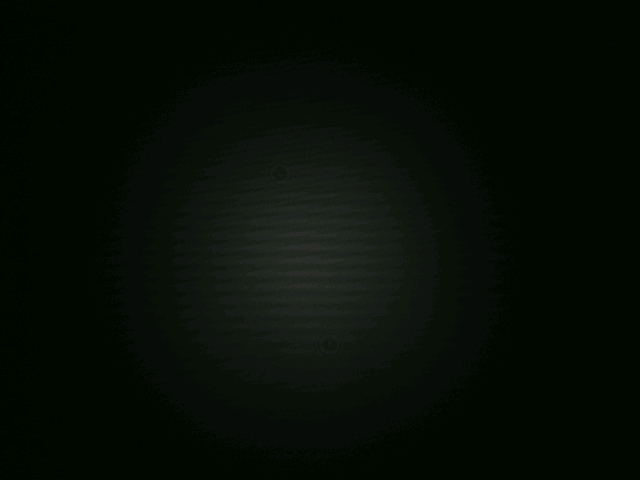
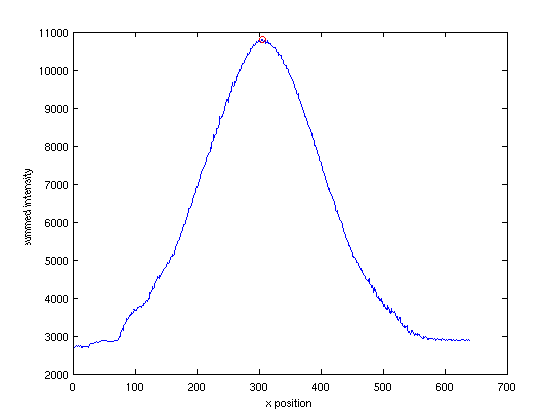
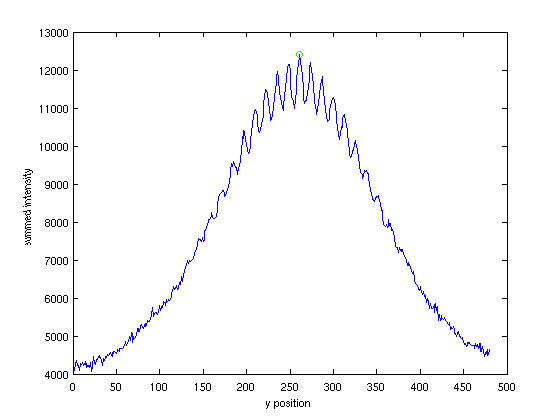
Attached below is an example of an image of the TEM_00 mode on the OMC camera, and the x and y intensity projections with the peaks in intensity identified. The intensity maxima are easier to identify than the minima because the peak-finding range can be set to include less data, so that the chance of accidents is smaller than trying to identify mins, and setting this range for the maxima is more straightforward. Also, as long as the peak finder has a reasonable sensitivity to peaks it won't identify too many, even when there are many local max/min on the intensity projection due to interference patterns or noise. I have tried blurring images to make accidentaly peak detection less likely, but I don't think it will be absolutely necessary, and for now the raw images are fine.
7-11-07
Here are some pictures of the ETMX/Y video feeds before and after the drag-wiping a couple weeks ago. As mentioned in the ilog, the differences in the scattering pattern between the before and after for both ETMX and ETMY followed Tobin's loss measurements. I think the slight difference in brightness for the ETMX camera between the before and after picture may have been due to the camera's automatic gain control (AGC) amplifying the signal due to the decrease in light incident on the CCD. Sometimes the frame grabber can make captured images have dark scanlines, but I doubt if it was the cause of the extra brightness. Also, both images were captured with all the same settings (brightness, hue, contrast).
ETMX before:
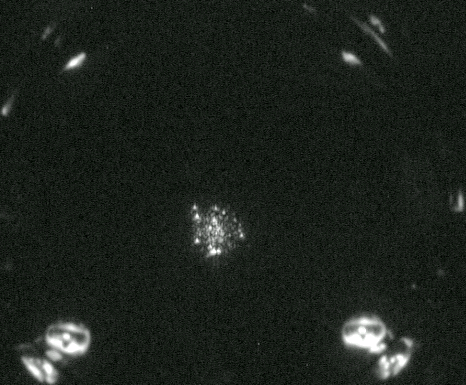
ETMX after:
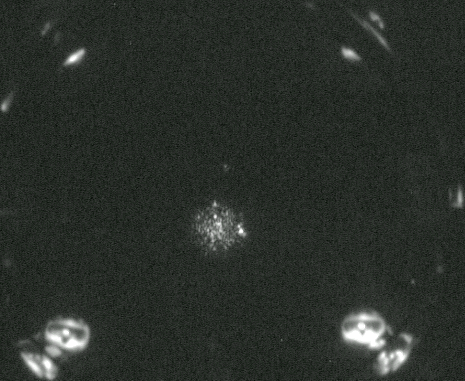
ETMY before:
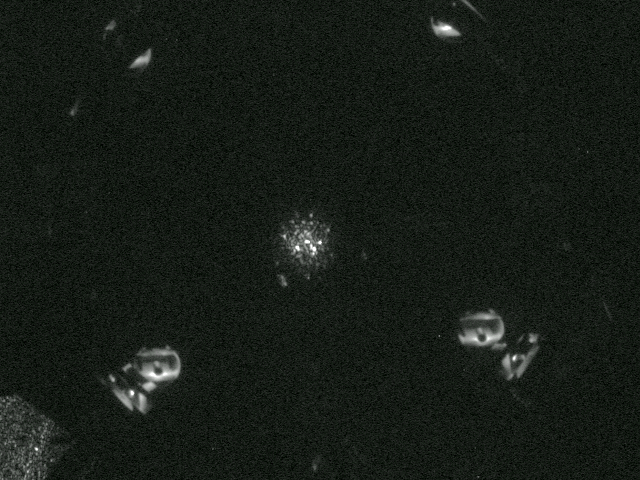
ETMY after:
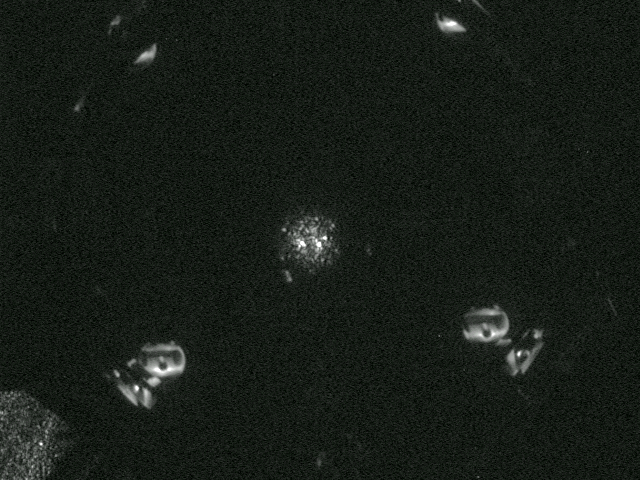
I also tried to use Matlab's image processing toolkit to register the after images against the before images, using the OSEM's as reference points. This was not so successful for the ETMY pictures, between which the camera had been rotated, but for the closer ETMX images I think it helped a little. It was as close to a pixel-to-pixel comparison as I could get. Subtracting the intensities of the ETMX before and after images, I obtained this difference image:
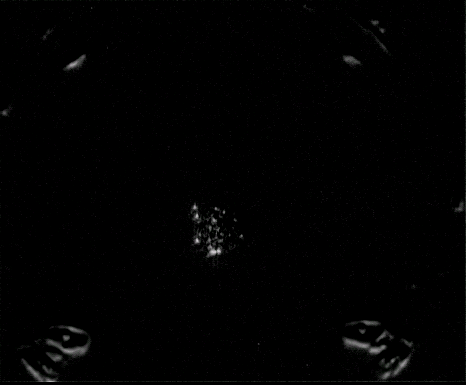
The glow around the OSEM's is due to the slight difference in brightness between the images and the imperfect alignment, but the major bright spots which disappeared after the drag wiping are visible.
7-12-07
As part of the automated mode scanning process, I switched the PMC reflected camera output with the PMC transmitted camera output so that the light transmitted from the PMC is visible through the video switch. I found some HOM's and ran the peak-finding script on them. The camera is oriented in such a way that makes rotation of the image unnecessary.
Here are some pictures of the images and their x and y projected intensity profiles, showing where the peaks are on the intensity plots:
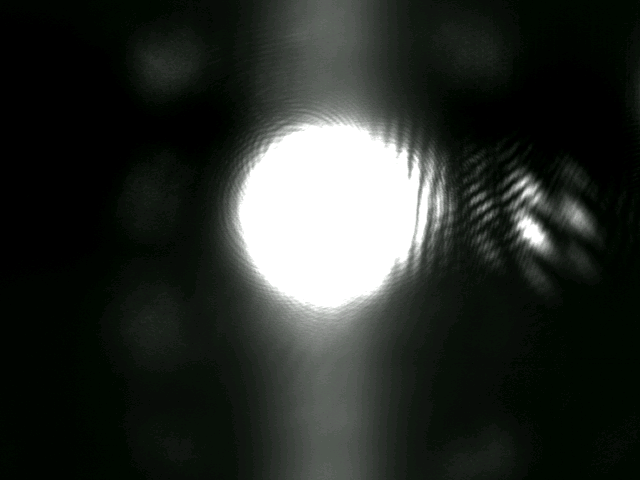
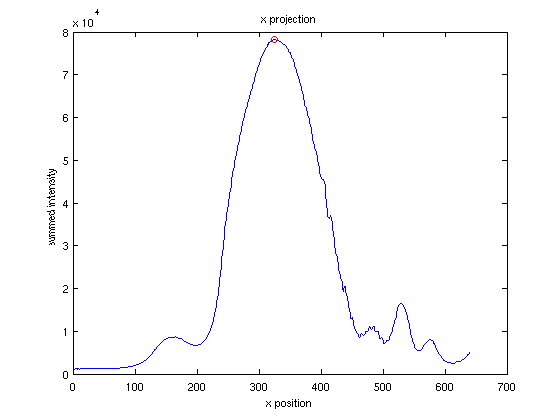
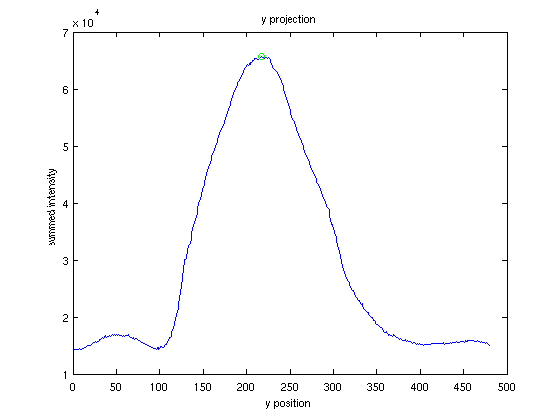
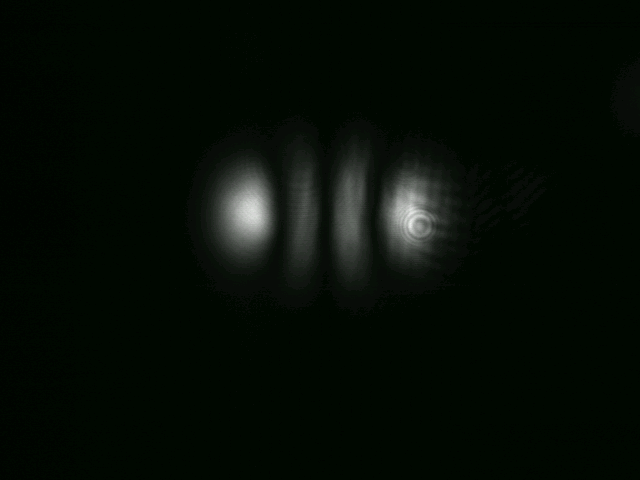
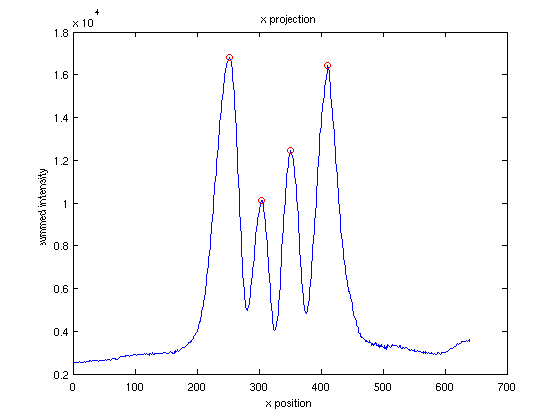
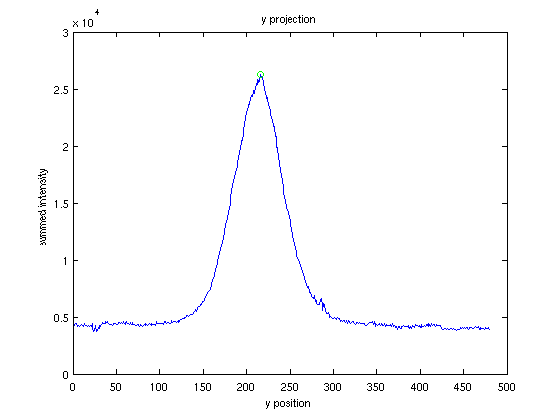
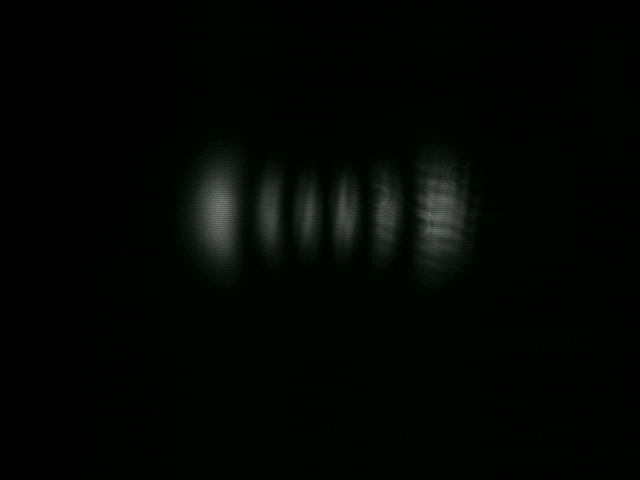
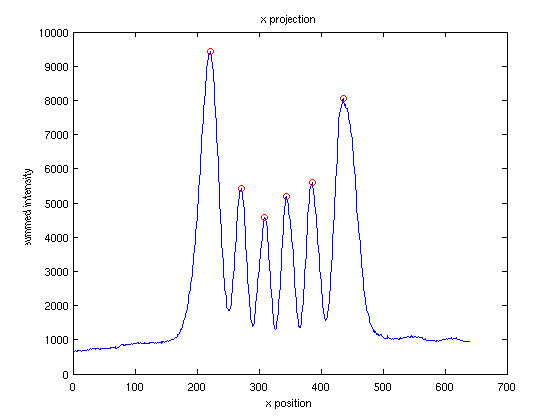
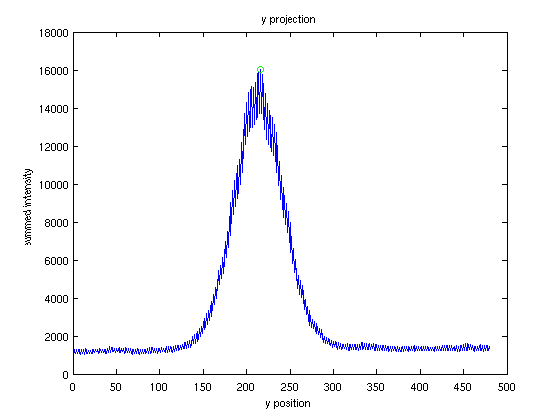
There are a few more modes which are possible to see in addition to the ones above. It's interesting to note that, conveniently, saturation of the camera does not prevent one from identifying the mode based on the x and y projections of the image, even when there are noticeable "impurities" in the image. One consideration I need to take into account is the peak-finding sensitivity and the range over which to find the peaks, so that no extraneous peaks are located and real peaks are not ignored. This will depend mostly on the size of the mode pattern on the camera and the index of the mode.
Also, although it is not pictured above, this peak-finding code works fine for HG TEM's with nodal lines in more than one direction, based on tests from some web images. Identifying LG modes should be not too difficult; I could just take a projection onto r and theta instead of x and y, and then fit those peaks.
7-25-07
I have been taking pictures of ITMY, ITMX, and ETMX with Steve's guidance (he took some ITMY pictures, too). Some examples can be seen at the 40m ilog under today's date.
For future reference, the best camera settings which Steve found are: f 5.6 ISO 1600 (Auto box checked) Manual focus (focus area [o] [ ] [ ]) Zoom 100-110 Center emphasis
8-01-07
My second progress report, a pre-first draft of my final paper, is up on my Caltech ITS website.
8-15-07
I made a few videos in Matlab of a mode scan by plotting colormapped images of a length sweep of the cavity with Rana's visible spectrum colormap. The images were unfiltered and I chose one image as background and subtracted it from the rest of the images. It's pretty low framerate but I think it is really nifty. You can view one of the videos under the attachments page. There were some problems with image tearing--I think this is a problem with Matlab's frame capture for making video.
Yesterday I gave my presentation. I'll put up the talk after I get a LIGO DCC number for it.
Yesterday I also made a little script which will be handy in the near future (I should have made this earlier) called ezvidcap.pl. Unfortunately it uses a shell script to run another script on the m25 machine with the framegrabber to actually capture an image and transfer it to the machine from which ezvidcap is being run (the transfer actually occurs in a cheap way--using cat then redirecting the output to a file). This is because using backticks to run ssh like a normal UNIX command in a Perl script doesn't seem to work. In any case, the script is convenient because it will change the framegrabber monitor channel to the video feed specified by a command-line parameter, grab the image, then revert the monitor channel to the video feed which was there before the script was run. It does this using EZCA functions, but I had to make an index of the name of each channel number to the MEDM code. Anyway, the end result is, running
ezvidcap.pl OMCT
will write a file in the current directory called OMCT.ppm and which is a picture from the OMCT camera at that moment, and all the video channels are like they were when you started!
I probably won't have time for this, but I wanted to explore identifying TEM's when they are rotated on the screen without manually specifying the angle of rotation. Tobin mentioned the Radon projection, but I would like to explore analysis of the really low-frequency 2D Fourier components of the images.
http://www.ligo.caltech.edu/docs/T/T040158-00.pdf noise in the LIGO OMC